

How it works#
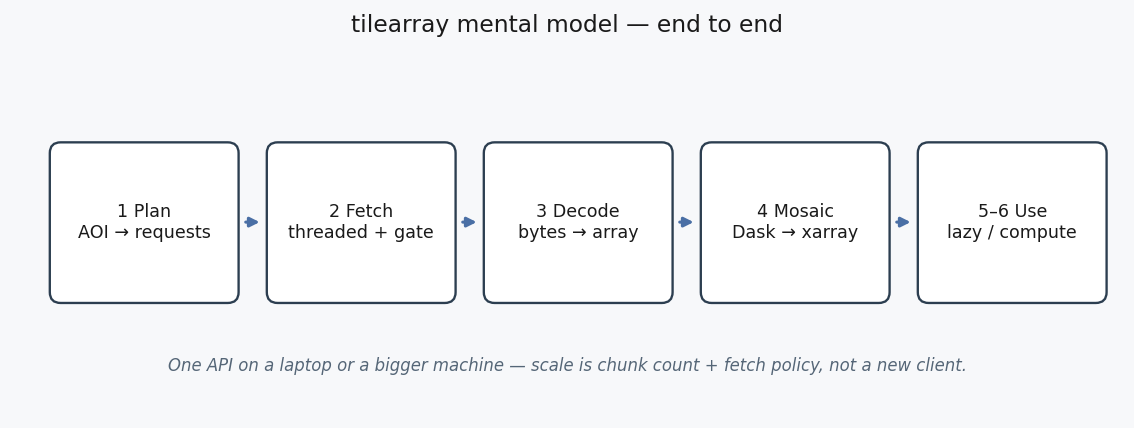
tilearray turns tiled WCS / WMS / WMTS / XYZ sources into analysis-ready xarray arrays — the same API on a laptop or a bigger machine.
You pass a bounding box and a service config. The library plans the tile grid, fetches under a concurrency ceiling, decodes, and assembles a mosaic.
from tilearray import create_array, compute_with_policy

da = create_array(config, bbox, crs)   # lazy Dask-backed DataArray by default
result = compute_with_policy(da)       # fetch + assemble when you need values
WCS, WMS, WMTS, and XYZ share one request-and-decode path. Host presets (XYZConfig.for_openstreetmap, WCSConfig.for_ea_dsp) set polite defaults for known public endpoints.
1 · Plan tiles#
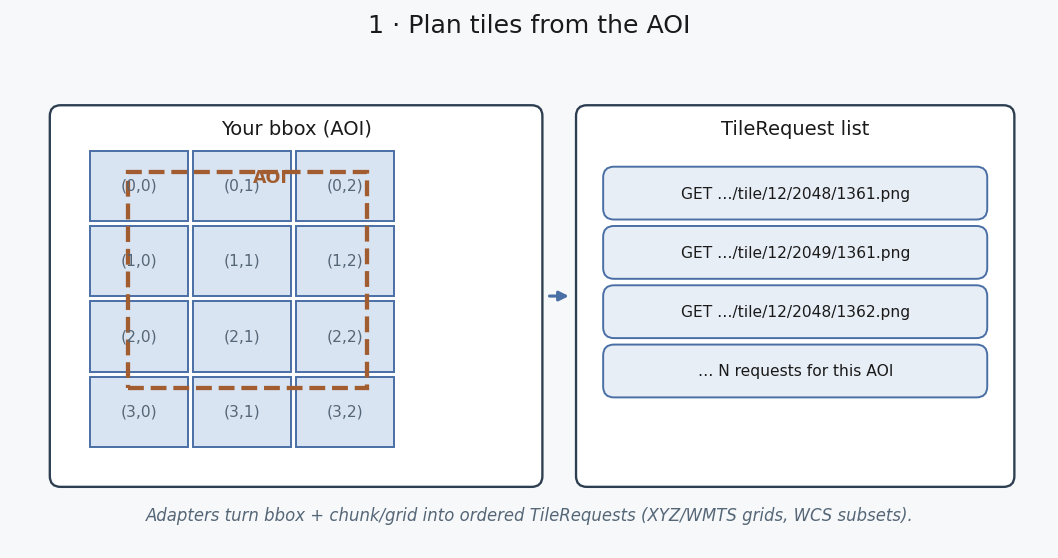
Adapters turn your bbox + chunk/grid settings into an ordered list of tile requests (XYZ/WMTS grids, WCS coverage subsets). A larger AOI means more requests — not a different client API.
2 · Polite concurrent fetch#
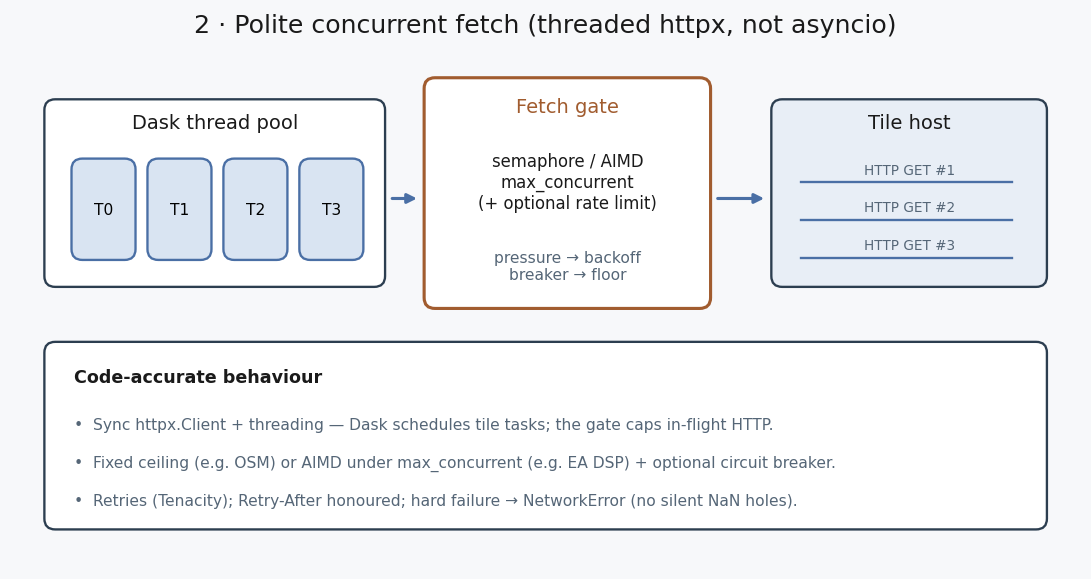
Fetching uses synchronous HTTP (httpx.Client) with a concurrency gate:
Dask’s thread pool runs tile tasks; the gate caps in-flight HTTP (not asyncio).
Fixed ceiling + optional rate limit when adaptive mode is off (OSM preset).
AIMD when enabled: ramp under
max_concurrent, back off on pressure (403/408/429/5xx and known OGC transient responses).Optional circuit breaker (EA DSP preset): a burst of pressure freezes concurrency at the floor for a cooldown.
Retries with
Retry-Aftersupport; hard failure raisesNetworkError(no silent NaN holes).
AIMD only helps if Dask can schedule enough tile loads — use compute_with_policy for multi-tile mosaics.
3 · Decode#
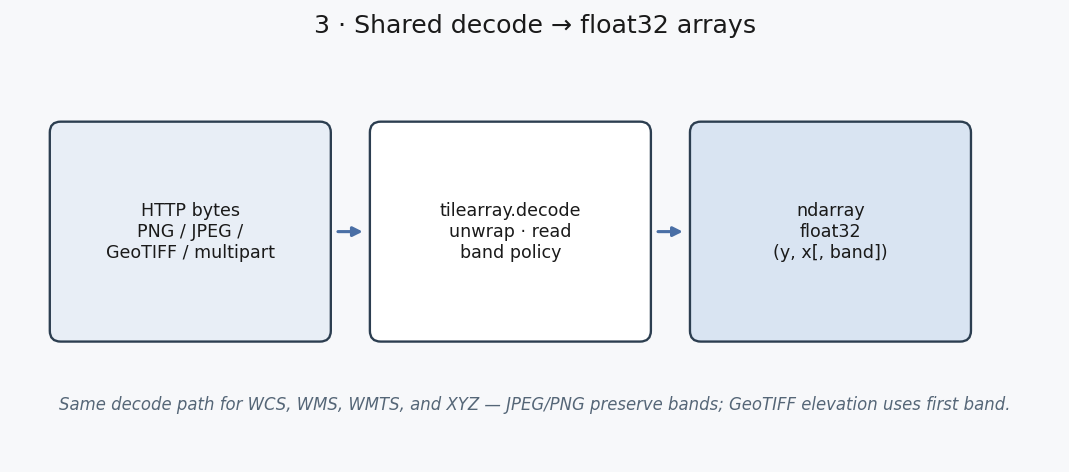
Shared decode unwraps and reads JPEG/PNG/GeoTIFF (including multipart WCS) into float32 arrays. JPEG/PNG keep bands (y, x, band) when present; GeoTIFF elevation uses the first band.
4 · Dask mosaic#
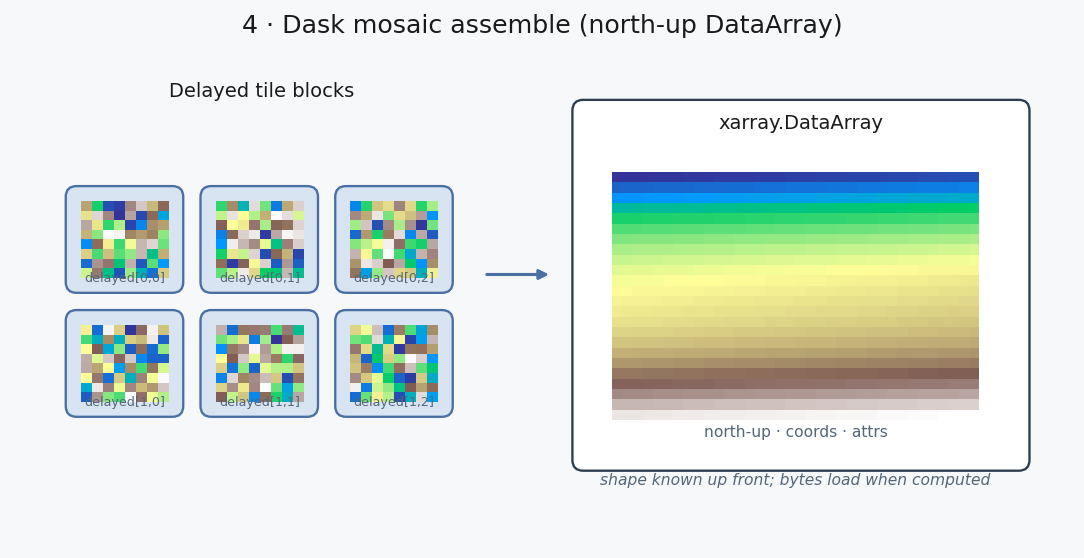
Each tile is a Dask delayed block. Blocks are stitched north-up into one xarray.DataArray with coordinates and attrs (crs, service_type, fetch-policy summary, …). Shape is known when the graph is built; tile bytes load when something computes.
5 · Lazy · compute · cache#
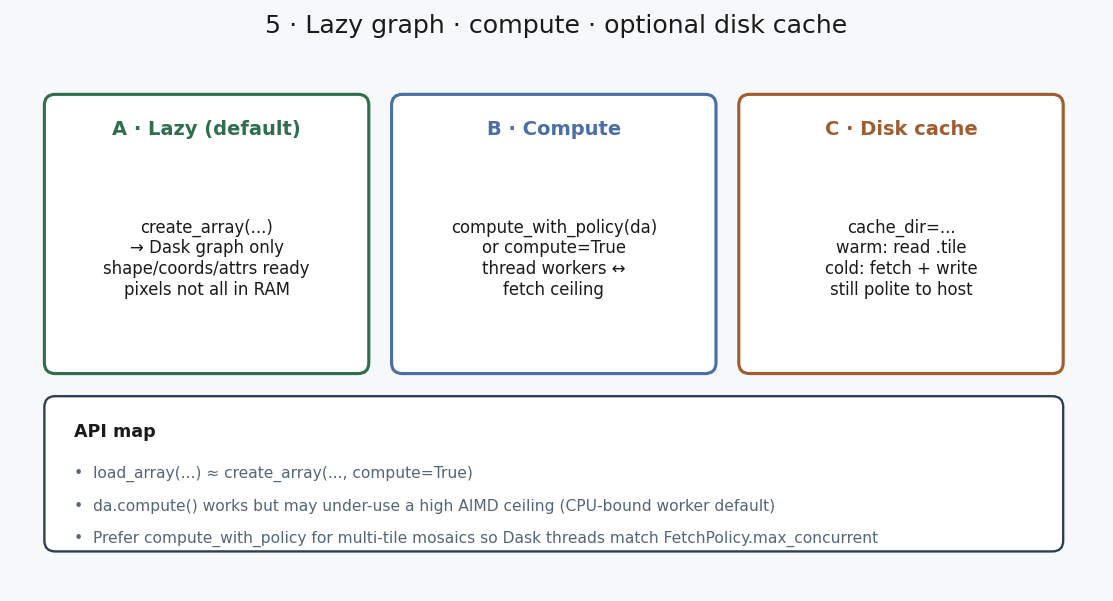
Path |
What happens |
|---|---|
|
Lazy Dask graph — coords/attrs ready; pixels not all in RAM. |
|
Build then compute immediately. |
|
Works, but default Dask worker count can under-use a high fetch ceiling. |
Preferred for multi-tile mosaics: thread workers aligned to the fetch ceiling. |
|
|
Optional on-disk tile cache; warm hits skip the network. |
Memory tracks what you compute (full mosaic, a reduction, a window) — not automatically the whole AOI. Scale with bbox, chunks, and fetch policy.
6 · Downstream use#
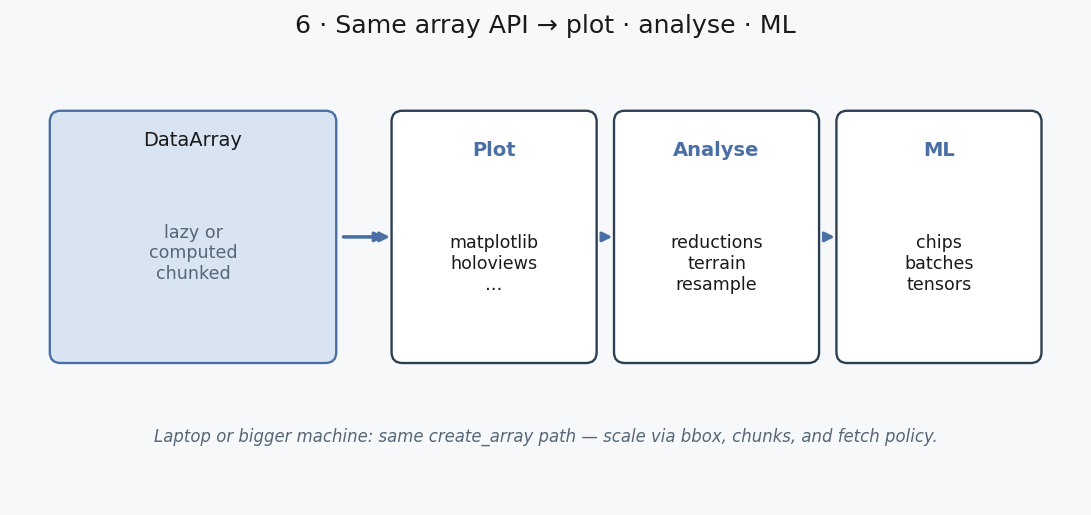
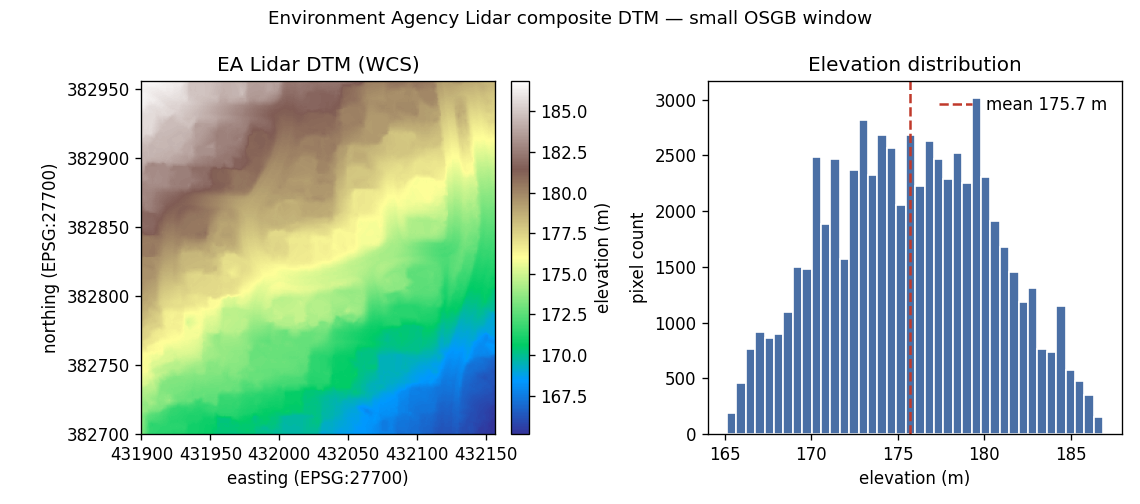
With a DataArray you can:
Plot a computed window or a reduction
Analyse with xarray/Dask (stats, terrain, resample)
Feed ML — sample chips or materialise tensors from the same chunked array
Next: Quick start or Usage guides.